Prop firms · 6 min read
How to Track an Apex Trader Funding Evaluation in a Journal
Journal an Apex-style futures evaluation: copy live trailing-drawdown and daily-loss headroom from Apex’s dashboard, log ES/NQ screenshots, and treat consistency and news restrictions as rule types—not frozen percentages.
Updated 2026-10-20 · TradeLogger Research
Quick answer
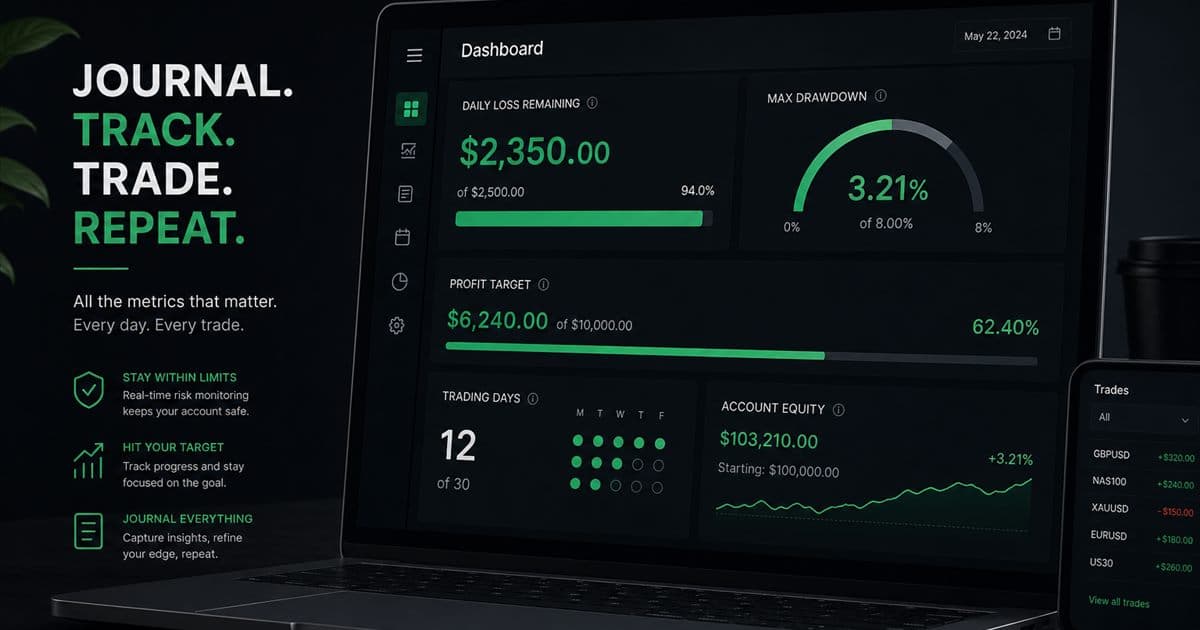
Use a personal journal next to Apex Trader Funding’s official dashboard. Log each trade from a screenshot, tag setup and New York session, and copy remaining daily-loss and trailing-drawdown room from Apex’s current client area. TradeLogger does not connect to Apex and does not compute official drawdown. Read Apex’s current rules page for numbers and news restrictions; they change by account type.
Apex-style evaluations are US futures products with trailing drawdown and often a consistency or scaling constraint. Journal rule headroom plus the chart you traded. Official pass/fail is Apex’s platform. This spoke sits in passing prop firm evaluation rules with journals and the foundational guide to trading journals.
Which Apex rule types belong in the journal?
- Daily loss: a session or calendar cap. Copy remaining room, not a memorized percent.
- Trailing drawdown: a floor that can move with a high-water mark. Confirm whether Apex currently trails intra-day or uses another method on your account type.
- Consistency or best-day: a limit on concentration of profits.
- News or event windows: allowed vs restricted, if your product has them.
- Contract scaling: micros vs minis as headroom changes — size with ES/NQ tick values, not hope.
Walk the question list on the futures prop trailing-drawdown checklist. Then open Apex’s current rules. If the two disagree, Apex wins.
How do you capture Apex trades without inventing a broker API?
Most Apex traders execute on Tradovate or NinjaTrader. TradeLogger has neither API. Follow Tradovate screenshot or export journaling or NinjaTrader screenshot or export journaling. Confirm fills against the platform history. Tag New York when that is the session. Optional OANDA and cTrader sync do not read Apex accounts.
How should you review an Apex week?
- Reconcile journal count to the execution platform, then to Apex’s daily figures.
- Check trailing-drawdown buffer after the largest green trade — trailing rules can tighten after winners.
- Filter by setup and New York vs overnight. Do not average them as one sample.
- Mark consistency: did one day or one ES runner dominate the week?
- Pick one measurable process rule for next week. Do not rewrite the playbook because of two losses.
Frequently asked questions
Does TradeLogger sync with Apex Trader Funding?+
No. There is no Apex API in the product. Journal from Tradovate, NinjaTrader, or TradingView screenshots. Copy official limits from Apex.
Should this page list Apex’s current trailing-drawdown percent?+
No. Percents, trailing vs EOD behavior, and prices change. Store the rule type and the live remaining buffer from your dashboard.
How do you journal Apex news restrictions?+
If your product forbids trading through named events, tag the trade with whether a restricted window was open. Confirm the current list on Apex’s rules page—do not rely on a journal article’s memory.
Is the prop drawdown calculator an Apex official tool?+
No. It is a free personal estimator. Apex’s dashboard wins any disagreement.
Related guides
- How to Track a Topstep Evaluation in a Trading Journal
Journal a Topstep-style futures evaluation: copy live daily-loss and trailing-drawdown headroom from Topstep’s dashboard, log ES/NQ screenshots, and measure consistency without inventing current rule numbers.
- Futures Prop Trailing Drawdown and Consistency Checklist
A checklist of trailing-drawdown and consistency rule types for US futures evaluations (Topstep, Apex, and similar). Copy live numbers from the firm. No frozen percents or prices.
- How to Journal Tradovate Trades with Screenshots or Exports
Journal Tradovate futures from chart screenshots or an export. TradeLogger has no Tradovate API. Confirm fields, tag the New York session, and review ES/NQ in R.
- How to Journal NinjaTrader Trades with Screenshots or Exports
Journal NinjaTrader (NT) futures from chart screenshots or a CSV/export file. TradeLogger has no NinjaTrader API. Confirm fields, tag the New York session, and review in R.
- How to Track Performance for FTMO Challenges
To ensure you stay compliant with FTMO rules, make sure you are constantly tracking your daily loss, drawdown, profit target, and total trading days.
- Prop Firm Trading Journal: Track Rules Before You Blow Up
Tracking your progress during proprietary firm challenges requires disciplined journaling. You must rigorously track daily loss, maximum drawdown, profit targets, and the number of trading days.
- Prop Firm Drawdown Tracker: Journal Plus Calculator, Not the Firm Dashboard
How to track prop-firm and FTMO-style drawdown with a personal journal, a free drawdown calculator, and the firm's official metrics. TradeLogger does not replace the evaluator dashboard.
- Forex Trading Journal: Fields, Sessions, and Review Guide
Build a forex trading journal around pair, session, spread, risk in R, chart evidence, execution, and a repeatable weekly review.
Keep Apex math on Apex, and the chart in the journal
Screenshot the setup, copy live headroom, and review R — without pretending we calculate official drawdown.
Start free