Forex · 5 min read
Forex Trading Journal: Fields, Sessions, and Review Guide
Build a forex trading journal around pair, session, spread, risk in R, chart evidence, execution, and a repeatable weekly review.
Updated 2026-07-30 · TradeLogger Research
Quick answer
A thorough forex trading journal tracks many crucial elements: the pair, direction, session, and initial setup. It captures the entry and stop levels, along with the trade size, spread, and associated fees. Furthermore, the journal documents the planned risk, the resulting R, a chart screenshot, the actual execution behavior, and the final review lesson.
A forex trading journal standardizes pairs, sessions, and conditions so a London breakout is not compared blindly to a late New York scratch on the same pair. Spreads and leverage make P&L-only logs misleading. Design fields around the questions you will review. This audience spoke sits with passing prop firm evaluation rules with journals and the foundational guide to trading journals.
Key Forex data fields you need to capture.
- When tracking trades, you absolutely need to capture the specifics: which asset pair we're using, the directional bias, the exact entry and exit points, the stop loss level, the trade size, and, critically, all those timestamps, making sure to include the timezone data.
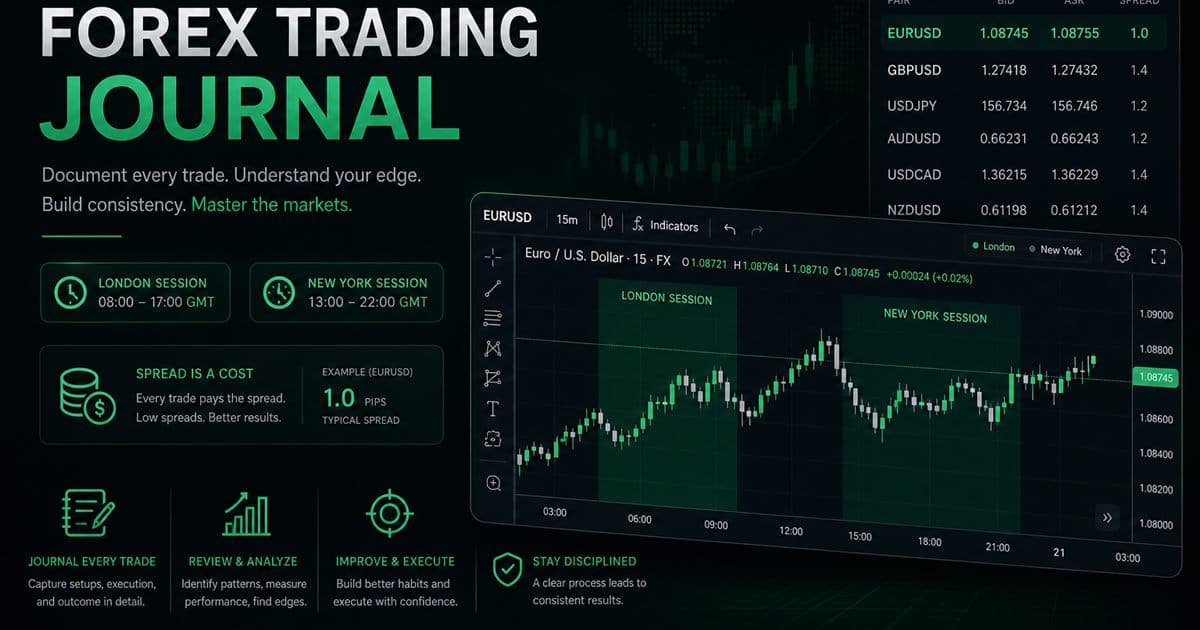
- The trading session operates across Asia, London, and New York, or it might follow a specific, pre-defined overlap period.
- We must first analyze the core setup, evaluate the overarching higher-timeframe context, and fully grasp the prevailing market condition.
- When trading, always keep these costs in mind—spread, commission, swap, and slippage—depending on the specific situation.
- The planned risk—defined by the account currency and a specified percentage—ultimately results in R.
- Reviewing the chart screenshot, examining the associated emotion, verifying the execution tag, assessing the process grade, and concluding the lesson.
We have to maintain consistency regarding both the pair format and the session definitions. Under no circumstances should EUR/USD and EURUSD be treated as separate categories. You must determine how you will assign trades that span across two sessions, and then formally document that specific rule. After all, practical consistency always outweighs the need to find some universally perfect taxonomy.
You might be wondering why tracking specific trading sessions needs a permanent home in your trading journal. It’s more than just documentation; it’s critical data. Simply logging trades isn't enough. To truly optimize your edge, you absolutely must categorize and log the precise time windows—the sessions—during which the action took place. This detailed approach allows you to move beyond superficial performance review and start identifying concrete patterns related to market behavior and your own effectiveness.
Liquidity and volatility typically vary session-to-session, but your trading journal should focus on testing how those differences interact specifically with your setup—not just reciting broad market platitudes. Always tag the session when you enter, and then compare the trade count, average R, spread cost, and rule adherence for identical setups. Should London appear to be performing stronger, always inspect the sample size and screenshots before settling on any conclusion.
You absolutely need to track every cost that truly impacts the final trade outcome.
Spread, commission, financing, and slippage can quickly turn a small theoretical edge into a poor net result. Costs are especially critical when you are trading frequently or targeting tight outcomes. Be sure to record net P&L, and use those net results for R calculations where practical. If you have longer holds, log the swap or financing separately; this allows the review to clearly distinguish trade movement from the carrying cost.
To compare different pairs and analyze the associated stops, running the data through R is the most effective way forward.
Figure out what "one R" means first: it's the amount you originally planned to risk at your initial stop loss. Take this scenario: if your account risk was $50, but the trade finished up netting $75, the result is a +1.5R outcome. Conversely, if you shifted your stop and ultimately lost $70, you need to log both the planned 1R and the actual -1.4R. The discrepancy between those two figures? That gap tells you something about your behavior. A quick reminder: always confirm the specific pip value and contract size, since those figures vary depending on the trading pair and your account's currency.
A basic forex journal example for your review.
- We are targeting a long position on EURUSD specifically during the London session. The setup here suggests we are looking for a continuation pullback.
- The higher timeframe remains aligned. Crucially, there are no high-impact releases scheduled inside the planned window.
- The stop loss was pre-defined before the entry was executed. We've calculated $50 to represent one full unit of risk (1R).
- The spread and commission are already factored in. The chart snapshot captures the precise moment of the decision.
- The entry was steady and controlled. We saw no stop movement, and the partial exit executed aligned precisely with the original plan.
- We secured a net of +1.3R on this run. The key takeaway here is to maintain the current entry filter when we approach the next sample.
Journal news context without pretending to forecast
Major economic releases often spike volatility and widen spreads. Always record whether a scheduled event occurred near the trade and if your trading plan allowed for exposure, but remember never to use your journal to argue that one single headline drove every market move. The real questions you should be asking during a review are whether you adhered to your event-risk rule, and if execution costs shifted around those specific windows.
The foundational playbook for anyone starting their trading journey.
- Focus on just one or two liquid pairs. Then, link that selection to a specific, defined trading session.
- You should use a demo, or keep your risk small enough that you can calmly observe the execution.
- Always log every trade you execute on a given day. Make sure to include the scratches too.
- For the preselected sample, we need to maintain stable setup definitions.
- Focus on isolating a single variable during your analysis—whether that is selection, risk, entry, or exit.
- Scaling up the complexity or size is only allowed if you establish a separate risk plan first.
Weekly forex review
First, you need to reconcile every trade against your broker history, making sure to correct any inaccuracies regarding timestamps, costs, and size. After that, group your data by setup, pair, and session. When reviewing, prioritize the process grade over the final outcome, and always inspect the screenshots whenever you encounter an outlier. Scrutinize your data for signs of repeated overtrading, entries that occurred near news events you excluded, stops that were wider than initially planned, or slippage specific to a certain session. Ultimately, make just one measured adjustment—do not overhaul the entire system and build something completely new.
For this analysis, you'll need the accompanying spreadsheet, some screenshots, and if you want to dive deeper, I've included optional OANDA context.
If you keep it current, a spreadsheet can function as a complete, free journal for your forex trades. When dealing with the friction of image storage and tagging, using screenshot software becomes really helpful. TradeLogger offers an optional OANDA API connection that provides connected account performance context; keep in mind this isn't universal broker sync, nor does it negate the need for your personal setup notes. Capturing screenshots still proves valuable because account statistics simply cannot show the exact chart you traded on.
TradeLogger significantly streamlines the manual logging process. Here's how: you upload the pair chart, verify the extracted row, then tag the pair context, session, and behavior, allowing you to review trades directly on the calendar. Start by testing it with a small, limited sample, and compare its completeness against your existing journal. Ultimately, the best tool is the one that ensures accurate records are readily available whenever you need them.
Frequently asked questions
So, what exactly should you track when maintaining a forex trading journal?+
Make sure to capture all the critical elements: the trading pair, the direction taken, and the session it occurred in. We need precise details on the entry point, the exit, the stop loss, and the size of the trade, including the spread or commission costs. Don't forget the planned risk assessment and the final result, expressed in R units. Finally, document the setup, include the chart screenshot, note your emotional state, assign an execution grade, and summarize the key lesson learned.
If you're looking for a journal to track your trades, which free platform is the absolute best for recording forex activity?+
If you want a powerful, free solution, a spreadsheet works perfectly—provided you commit to using consistent dropdown tags, linking screenshots, reconciling every trade, and breaking down your results by pair, session, and setup.
So, how exactly does a forex journal assist those just starting out? Think of it not as just a logbook, but as your personal, actionable trading blueprint. For beginners, the biggest hurdle is usually consistency—and knowing *why* you made a certain decision. A journal forces you to track everything: the specific pairs you traded, the entry and exit points, the indicators you used, and, crucially, the emotional state you were in when the trade occurred. By reviewing these records, you can spot patterns. You'll quickly realize, for instance, that your strategy falls apart when you are stressed, or maybe you realize you consistently overtrade during specific market sessions. It turns abstract learning into concrete data, allowing you to refine your method and build a much more disciplined, profitable approach.+
This tool helps diagnose whether your losses stem from fundamental flaws in the methodology, poor trade execution, inadequate size management, excessive operational costs, or simply overcomplicating things by juggling too many pairs and sessions. Furthermore, it enforces discipline by slowing down unnecessary strategy switching.
Can TradeLogger genuinely sync with every single forex broker out there?+
No. Screenshot journaling functionality works across all chart interfaces, though the optional API connection integrated into the codebase specifically links to OANDA for account performance context.
Related guides
- Prop Firm Trading Journal: Track Rules Before You Blow Up
Tracking your progress during proprietary firm challenges requires disciplined journaling. You must rigorously track daily loss, maximum drawdown, profit targets, and the number of trading days.
- Trading Journal Template: Excel and Google Sheets Fields
A practical trading journal template for Excel, Google Sheets, or Notion, with core columns, formulas, screenshot handling, and a weekly review routine.
- How to Connect OANDA to Your Trading Journal
To connect OANDA, just link it using your API token, and you can monitor everything—your balance, daily P&L, and win/loss stats—right inside TradeLogger.
- Best Free Trading Journal: Start Simple, Upgrade on Evidence
Create a functional, free trading journal using a spreadsheet. You must also honestly compare all the free tiers available, and learn to recognize those specific workflow signals that justify making the upgrade.
- Prop Firm Drawdown Tracker: Journal Plus Calculator, Not the Firm Dashboard
How to track prop-firm and FTMO-style drawdown with a personal journal, a free drawdown calculator, and the firm's official metrics. TradeLogger does not replace the evaluator dashboard.
- A Trader's Journal for Day Trading
You need session tags, screenshots, and same-day logging—tools that reliably survive when you hit high trade volume.
- How to Track Performance for FTMO Challenges
To ensure you stay compliant with FTMO rules, make sure you are constantly tracking your daily loss, drawdown, profit target, and total trading days.
Let's take a look at these FX trades and place them properly in context.
Try TradeLogger for screenshot capture, editable fields, session tags, and calendar review.
Start free