Fundamentals · 8 min read
Trading Journal Guide: Setting Up a Review System That Endures
Learn what to record, how to choose between spreadsheets and software, and how to turn trade evidence into a practical weekly review.
Updated 2026-10-12 · TradeLogger Research
Quick answer
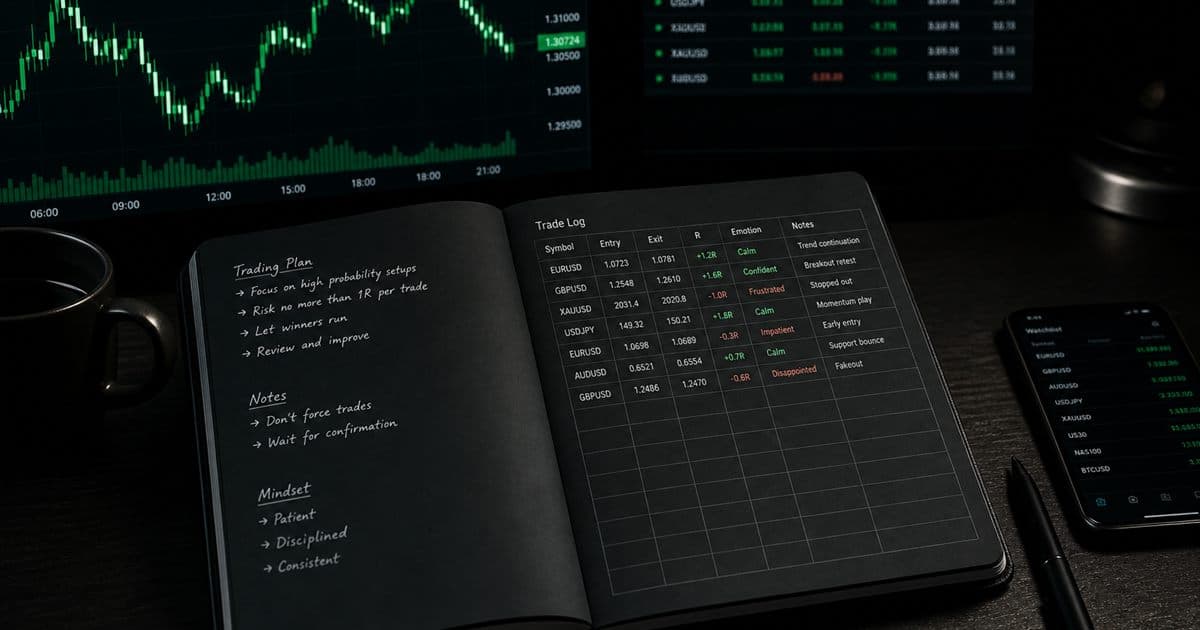
A trading journal is a structured record of context, risk, execution, emotion, and outcome—not just P&L. Keep fields short, save screenshots or imports, tag consistently, and review weekly. Start with a spreadsheet; move to software only when capture or retrieval friction starts deleting evidence.
A trading journal is a record of decisions, not a highlight reel of wins. Broker history proves a fill happened. A useful journal also keeps the setup, planned risk, chart context, decision state, rule adherence, and the lesson. The point is to replace selective memory with evidence you can inspect. This page is the hub for that process: start with trading journal basics—definition, benefits, and common mistakes, then pick a capture method and a weekly review rule you will still follow after a losing day.
What is a trading journal?
A trading journal is a structured log of each trade’s context, risk, execution, emotion, and outcome. It can show inconsistent execution, repeated rule breaks, missed trades, and questions worth testing. It cannot turn a weak strategy into a strong one, prove an edge from a handful of trades, or guarantee that noticing a flaw changes behavior.
Treat the journal as an observation system. Reliability depends on complete entries, stable definitions, accurate data, and enough comparable trades. If you only log remembered winners or the losses that stung, the record is biased before any dashboard runs. For the definition spoke and why the habit matters, stay inside trading journal basics before you compare software.
What should you write in a trading journal?
Write the shortest field set that answers next week’s review questions: date and session, symbol and direction, entry, planned stop, exit, costs if known, planned risk in R, a setup name from a small playbook, a controlled emotion or decision label, a screenshot or fill evidence, a process grade, and one lesson. Skip columns you never filter.
- Date, time, and session, then symbol, market, and direction.
- Entry, planned stop, exit, and transaction costs when they are available.
- Starting risk in R, or another unit you will keep stable.
- Setup name from a small, written playbook—not a new label every unusual trade.
- Pre-entry emotion or decision state using controlled labels.
- Chart screenshot, broker image, or linked execution evidence.
- Outcome, rule-adherence grade, and one concrete lesson.
Add a field only when you know how you will review it. Free-text essays help reflection but make comparisons hard. Use a short controlled tag for repeated concepts and keep notes for context that does not fit a category. Define partial exits, break-even trades, fees, and R before you calculate summaries. If you prefer building that structure by hand, download the excel and spreadsheet trading journal templates and keep screenshots outside the workbook.
How should you capture trades in a journal?
Pick one source of truth before you pick a product. Discretionary traders often need the annotated chart. High-volume or multi-account traders often need the broker file. Psychology-focused review still needs honest labels. Write the source down, then choose spreadsheet, import, or screenshot software to match it.
Manual spreadsheet
Excel or Google Sheets is cheap, flexible, and transparent. Use dropdowns for tags, one master table, and screenshot links from a stable folder. Spreadsheets work while volume stays low. They fail when images scatter, formulas drift, and free-text labels fragment. A free spreadsheet trading journal is enough until housekeeping costs more than review.
Broker or CSV import
Imports help when execution volume is high and the broker or file format maps cleanly. Test symbols, time zones, fees, options legs, and partial fills first. Imports keep what executed. Discretionary traders still need screenshots and notes for the why. TradingView, OANDA, and cTrader journal integrations cover the connect-and-import paths TradeLogger actually ships.
Screenshot-first software
Screenshot-first tools fit traders whose charts already hold the decision. TradeLogger drafts fields from the image, keeps the row editable, and pairs it with tags and calendar review. You still confirm the extraction because image quality and layout vary. These tools are the wrong pick if wide automated imports are the job. The middle of the funnel lives on AI-powered trading journal software and platforms.
How does TradeLogger turn a screenshot into a journal entry?
You paste a TradingView snapshot URL or upload a TradingView, MetaTrader, cTrader, or broker screenshot. A vision scan drafts symbol, timeframe, Long or Short, entry, stop-loss, take-profit, risk-to-reward, optional exit when a closed fill is labeled, notes, and visible order tickets. You must confirm or edit those fields before save. Setup and emotion tags are entered by hand.
The scan uses gpt-4.1-mini first, then gpt-4.1 only if stop, entry, or take-profit is still missing. Tickets can include price, size, and P/L when those labels are on the image. Size is not a guaranteed top-level field. Treat the draft as unverified until you accept the row. The chart stays attached to the entry.
How do you keep trading journal tags comparable?
Start with one setup tag, one session tag, one emotion or state tag, and one optional mistake tag. Define each in plain language. Do not invent a new tag after every unusual trade. If “breakout,” “range break,” and “level break” mean the same thing, merge them or the sample fragments.
Audit the taxonomy once a month, not after every emotional session. Merge duplicates, retire unused labels, and record when a definition changes. If a setup’s meaning drifts unnoticed, comparisons across months become unreliable.
How should you review a trading journal each week?
Logging without review only builds an archive. Each week reconcile missing trades, grade process separately from P&L, group by setup and session, inspect the charts behind outliers, write one evidenced observation, and lock one small process action for the next seven days. Do not rewrite five rules at once.
- Reconcile the week: fill missing trades and obvious data errors.
- Separate process quality from outcome, including lucky mistakes and valid losses.
- Group by setup, session, emotion, and mistake, then open the underlying charts.
- Write one observation with evidence and one unanswered question.
- Choose one observable process action for next week and define how you will track it.
Prefer a concrete rule such as “no entry before the candle closes for setup A” over “be more disciplined.” The behavior has to be observable even when the resulting trades lose. The dedicated weekly-review guide lives with the basics cluster.
What trading journal mistakes should you avoid?
The habit dies from selection bias, drifting setup names, judging decisions only by P&L, trusting unverified imports or extracts, collecting screenshots with no review slot, and drawing conclusions from a handful of trades. Completeness after a bad day beats a perfect template you abandon.
- Logging only unusual trades introduces selection bias.
- Changing setup definitions so fast that periods cannot be compared.
- Reducing decision quality to P&L.
- Skipping validation of imported or extracted fields.
- Saving screenshots and tags with no scheduled review.
- Treating a few observations as a proven edge.
When should you switch from a template to trading journal software?
Upgrade when repeated data entry, broken screenshot links, inconsistent tags, slow retrieval, or a painful calendar review is the bottleneck. If the chart is your evidence, use a screenshot journal. If you are leaving a broader suite, compare a focused alternative. Prop-firm traders can pair the journal with drawdown tracking, then still reconcile against the official evaluator dashboard.
When you are weighing products, use head-to-head trading journal comparisons rather than a generic “best app” list. If evaluation rules are the constraint, read passing prop firm evaluation rules with journals. TradeLogger journal access is $4.99/week, $34.99/year, or $69.99 lifetime, with a 7-day trial on weekly and yearly plans. There is no free journaling plan; sign-up is free. Skip TradeLogger if you need broad imports, integrated replay, prop-firm sync, or a deep psychology lab.
The sequence is short: log complete evidence, validate it, tag it consistently, review on a schedule, and change one observable behavior at a time. Start with the simplest tool that keeps that sequence intact after your worst normal session.
Frequently asked questions
What should you write in a trading journal?+
Record date, symbol, direction, entry, exit, stop, planned risk in R, setup name, decision state, screenshot or fill evidence, outcome, rule adherence, and one lesson. Drop any field you never review.
Can Excel work as a trading journal?+
Yes at low volume. Excel or Google Sheets break down when screenshot links, controlled tags, imports, or a repeating weekly review become the job. Upgrade for that bottleneck, not for a prettier dashboard.
How often should you review a trading journal?+
Scan entries after each session. Run a structured weekly review. Use a monthly pass for larger patterns, but do not skip the weekly loop. A journal without review is only an archive.
Does a trading journal make traders profitable?+
No. Journaling improves evidence quality and process awareness. Profitability still depends on strategy, execution, costs, risk, market conditions, and discipline.
Related guides
- What Is a Trading Journal? Definition, Fields, and Examples
A complete definition of a trading journal, the fields it should contain, how it differs from broker history, and how to start.
- Trading Journal Template: Excel and Google Sheets Fields
A practical trading journal template for Excel, Google Sheets, or Notion, with core columns, formulas, screenshot handling, and a weekly review routine.
- How to Review a Trading Journal Weekly
A weekly review checklist, designed for 30–60 minutes, that converts your trade logs into specific rules for the following week.
- Trading Journal with Screenshots: How Chart-First Logging Works
A trading journal with screenshots keeps the chart next to the trade row. Learn when screenshot-first logging beats imports or spreadsheets, and how AI extraction fits.
- TradeZella Alternative for Screenshot Logging
Looking for a TradeZella alternative? Compare a focused screenshot-first journal with a broader replay-and-import suite, and pick the job you will actually do weekly.
- Prop Firm Drawdown Tracker: Journal Plus Calculator, Not the Firm Dashboard
How to track prop-firm and FTMO-style drawdown with a personal journal, a free drawdown calculator, and the firm's official metrics. TradeLogger does not replace the evaluator dashboard.
- Best Free Trading Journal: Start Simple, Upgrade on Evidence
Create a functional, free trading journal using a spreadsheet. You must also honestly compare all the free tiers available, and learn to recognize those specific workflow signals that justify making the upgrade.
Try the screenshot-first review loop
If manual chart entry is the bottleneck, test TradeLogger with one normal week and keep only the tags you will review.
Try TradeLogger