Prop firms · 6 min read
Prop Firm Drawdown Tracker: Journal Plus Calculator, Not the Firm Dashboard
How to track prop-firm and FTMO-style drawdown with a personal journal, a free drawdown calculator, and the firm's official metrics. TradeLogger does not replace the evaluator dashboard.
Updated 2026-10-08 · TradeLogger Research
Quick answer
TradeLogger can support prop-firm tracking as a personal journal: log challenge trades from screenshots, tag setups, and estimate trailing drawdown or a daily-loss budget with the free prop drawdown calculator. It does not calculate official FTMO or prop-firm objectives, and it does not replace the firm's client dashboard. Always copy live limits from the evaluator. TradeLogger is free to sign up; journal plans are $4.99/week, $34.99/year, or $69.99 lifetime.
Prop-firm evaluations fail from rule breaches as often as from a bad strategy. A drawdown tracker here means two layers: the firm’s official numbers, and your own journal. TradeLogger provides the second layer plus a public calculator. It does not provide the first, and it does not replace the firm’s official dashboard. See passing prop firm evaluation rules with journals and the foundational guide to trading journals.
Can I use TradeLogger for prop firm challenges?
Use it to keep screenshots, R, setup names, and emotion labels consistent while you are in an evaluation. Use the calculator before a session to sanity-check headroom. Then open the firm's dashboard and copy the live remaining daily loss and max drawdown. If the two disagree, the firm wins.
What the product actually supports
- Screenshot logging of challenge trades from any broker UI.
- Tags for setup, session, and process mistakes.
- A free prop drawdown calculator for trailing drawdown and a daily-loss budget.
- Optional OANDA or cTrader account context when that is the account you actually trade.
What it does not support: automatic FTMO objective tracking, official profit-target percentages, consistency-rule engines, or payout eligibility. For those, use the evaluator's client area. The FTMO performance journal guide covers the daily checklist without inventing rule numbers.
A practical daily loop
- Before the session, enter your current high-water mark and remaining daily-loss room into the prop drawdown calculator.
- Trade only if the planned risk still fits that room.
- After each close, log the screenshot and tags in the journal.
- End of day, reconcile P&L and remaining limits against the official dashboard, not the calculator.
Frequently asked questions
Can I use TradeLogger for prop firm challenges?+
Yes, as a personal journal and with the free drawdown calculator. No, as a replacement for official FTMO or prop-firm metrics. Reconcile every session against the firm's dashboard.
Does TradeLogger enforce FTMO rules automatically?+
No. There is no automatic FTMO rule engine. You enter the limits you were given, estimate headroom, and treat the firm as source of truth.
Is TradeLogger free?+
Signing up is free. The prop drawdown, R-multiple, and position size calculators are free public tools. The journal itself requires $4.99/week, $34.99/year, or $69.99 lifetime, with a 7-day trial on weekly and yearly plans.
What should I log during an FTMO-style challenge?+
Each closed trade: screenshot, R result, setup, emotion, and whether the trade followed your rules. Daily: remaining daily-loss and drawdown room copied from the official dashboard, plus trading days used.
Related guides
- How to Track Performance for FTMO Challenges
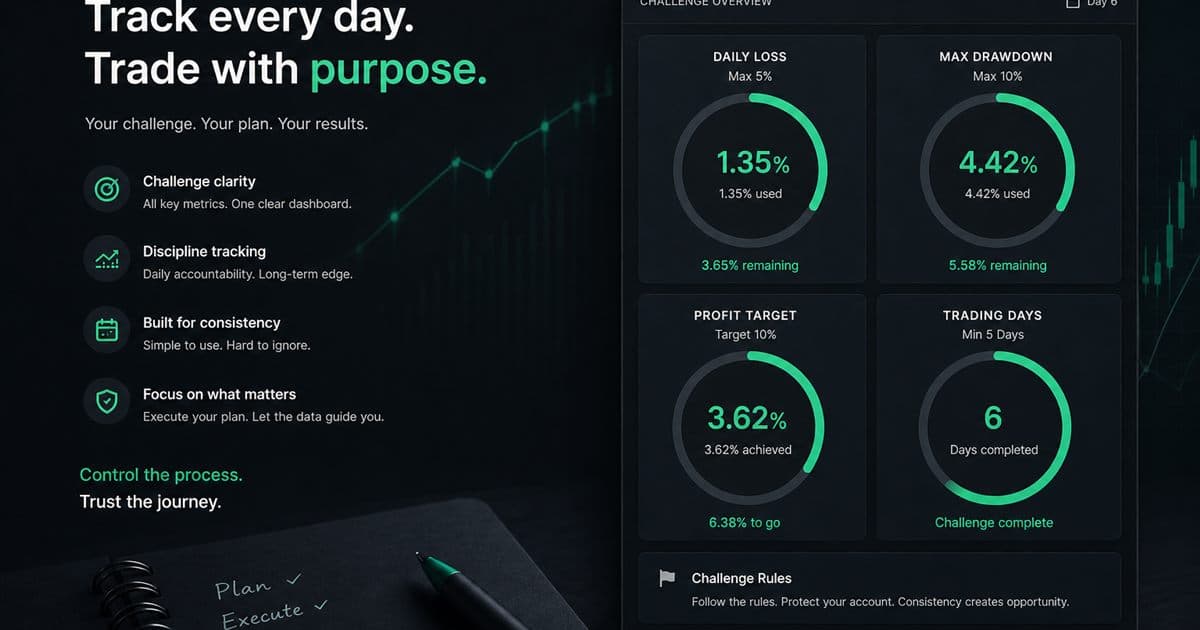
To ensure you stay compliant with FTMO rules, make sure you are constantly tracking your daily loss, drawdown, profit target, and total trading days.
- Prop Firm Trading Journal: Track Rules Before You Blow Up
Tracking your progress during proprietary firm challenges requires disciplined journaling. You must rigorously track daily loss, maximum drawdown, profit targets, and the number of trading days.
- Trading Journal Guide: Setting Up a Review System That Endures
Learn what to record, how to choose between spreadsheets and software, and how to turn trade evidence into a practical weekly review.
- Trading Journal with Screenshots: How Chart-First Logging Works
A trading journal with screenshots keeps the chart next to the trade row. Learn when screenshot-first logging beats imports or spreadsheets, and how AI extraction fits.
- Forex Trading Journal: Fields, Sessions, and Review Guide
Build a forex trading journal around pair, session, spread, risk in R, chart evidence, execution, and a repeatable weekly review.
- A Trader's Journal for Day Trading
You need session tags, screenshots, and same-day logging—tools that reliably survive when you hit high trade volume.
Check headroom, then journal the session
Use the free calculator for a sanity check, then log the actual trades from screenshots if you want the review trail.
Open the prop drawdown calculator