Software · 6 min read
Trading Journal with Screenshots: How Chart-First Logging Works
A trading journal with screenshots keeps the chart next to the trade row. Learn when screenshot-first logging beats imports or spreadsheets, and how AI extraction fits.
Updated 2026-10-08 · TradeLogger Research
Quick answer
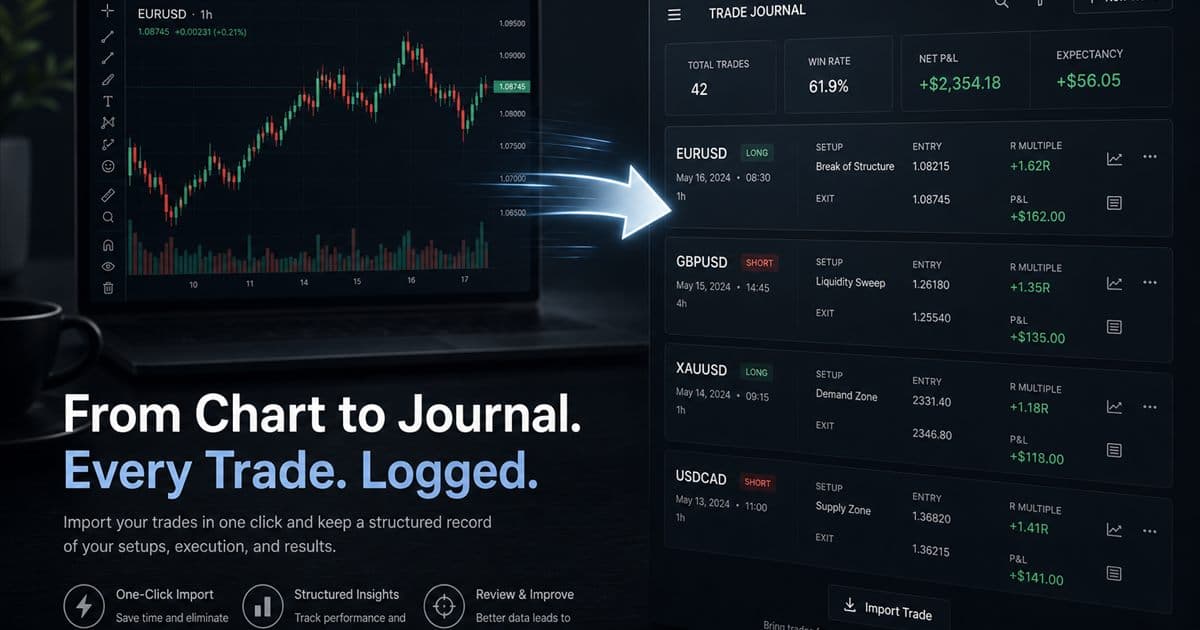
A trading journal with screenshots stores the chart image as the trade's source of truth, then adds structured fields you confirm. TradeLogger extracts symbol, direction, entry, exit, and size from the image; you edit mistakes, tag the setup, and review in calendar. It is free to sign up; journal access is $4.99/week, $34.99/year, or $69.99 lifetime, with a 7-day trial on weekly and yearly plans.
A trading journal with screenshots starts from the picture you already take: the TradingView, MetaTrader, cTrader, or broker chart that shows why you entered. Confirm a structured row so you can compare trades later. This spoke sits under AI-powered trading journal software and platforms. The process hub is the foundational guide to trading journals.
What is a screenshot trading journal?
It is a decision journal with pictures. Broker history proves a fill happened. A screenshot shows location, volatility, notes, and invalidation. If you trade from charts, those details are the evidence you will want next week when memory edits the story.
How does TradeLogger turn a screenshot into a journal entry?
- Paste a TradingView snapshot URL or upload a TradingView, MetaTrader, cTrader, or broker screenshot.
- Review drafted fields: symbol, timeframe, Long or Short, entry, stop-loss, take-profit, risk-to-reward, optional exit, notes, and visible order tickets (price, size, P/L when labeled).
- Confirm or edit before save. Setup and emotion tags are entered by hand—they are not extracted.
- Open the calendar after the session or week and inspect comparable trades.
The confirmation step is required. The scan uses gpt-4.1-mini, then gpt-4.1 if stop, entry, or take-profit is still missing. Quality depends on image clarity, UI layout, and annotations. Treat the draft as unverified. Size is not a guaranteed top-level field.
When do screenshots beat imports or Excel?
- You make a small number of discretionary trades and the chart is the reason.
- Partial exits and notes live on the image, not in a CSV column.
- Spreadsheets keep breaking screenshot links or forcing you to type prices twice.
Choose an import-led journal when volume is high and you already have a supported broker file. Stay on Excel when volume is low and you will still fill the sheet after a losing day. Upgrade when capture friction is the reason you skip the log.
Is TradeLogger free?
Signing up is free. Using the journal requires a paid plan: $4.99 per week, $34.99 per year, or $69.99 lifetime. Weekly and yearly plans include a 7-day trial at checkout. There is no forever-free journaling tier. Regional display prices can differ; the card charge matches the checkout currency you see.
Frequently asked questions
What is a screenshot trading journal?+
It is a journal that keeps the chart or broker screenshot with the trade record. Numbers alone miss structure, invalidation, and annotations; the image preserves that context for weekly review.
Is TradeLogger free?+
TradeLogger is free to sign up. Journal access requires a paid plan: $4.99/week, $34.99/year, or $69.99 lifetime. Weekly and yearly plans include a 7-day trial. There is no standalone free journaling plan.
Does a screenshot journal replace broker imports?+
No. Screenshots preserve discretionary context. Imports preserve fill-level execution data. Choose the artifact you trust after a session; some traders need both.
How does AI trading journal extraction work?+
You paste or upload a chart. Vision extracts candidate fields. You confirm or edit before save. The screenshot stays attached to the row.
Related guides
- Trading Journal Guide: Setting Up a Review System That Endures
Learn what to record, how to choose between spreadsheets and software, and how to turn trade evidence into a practical weekly review.
- How to Import Trades from TradingView
Journal TradingView trades honestly with a screenshot-first workflow: paste or upload charts, confirm suggested fields, and add setup context.
- How AI-Driven Trade Analysis Can Secure Your Market Edge
You can leverage screenshot field suggestions and structured pattern review to cut down on journal friction, allowing you to properly test various possible trading edges without the trap of overselling automation.
- TradeZella Alternative for Screenshot Logging
Looking for a TradeZella alternative? Compare a focused screenshot-first journal with a broader replay-and-import suite, and pick the job you will actually do weekly.
- AI Trading Journal vs ChatGPT in 2026: Screenshot, Broker-Sync, or Chat?
ChatGPT is not a trading journal. Compare screenshot vision tools, broker-sync AI agents, and chat logs — then choose the record you can actually review.
- TradeLogger Trading Journal App: Workflow, Fit, and Limits
A transparent guide to TradeLogger's screenshot-first capture, editable AI extraction, tags, calendar review, best-fit users, and limitations.
Log one trade from a screenshot
Paste a normal chart, confirm the fields, and see whether the weekly review path is lighter than a spreadsheet.
Create a TradeLogger account