Compare · 5 min read
TradeLogger vs Tradervue: Which Journal Fits Your Workflow?
We’re running an honest comparison between TradeLogger and Tradervue—a detailed look specifically for discretionary traders who rely on screenshots, as well as those who operate using imported data.
Updated 2026-10-08 · TradeLogger Research
Quick answer
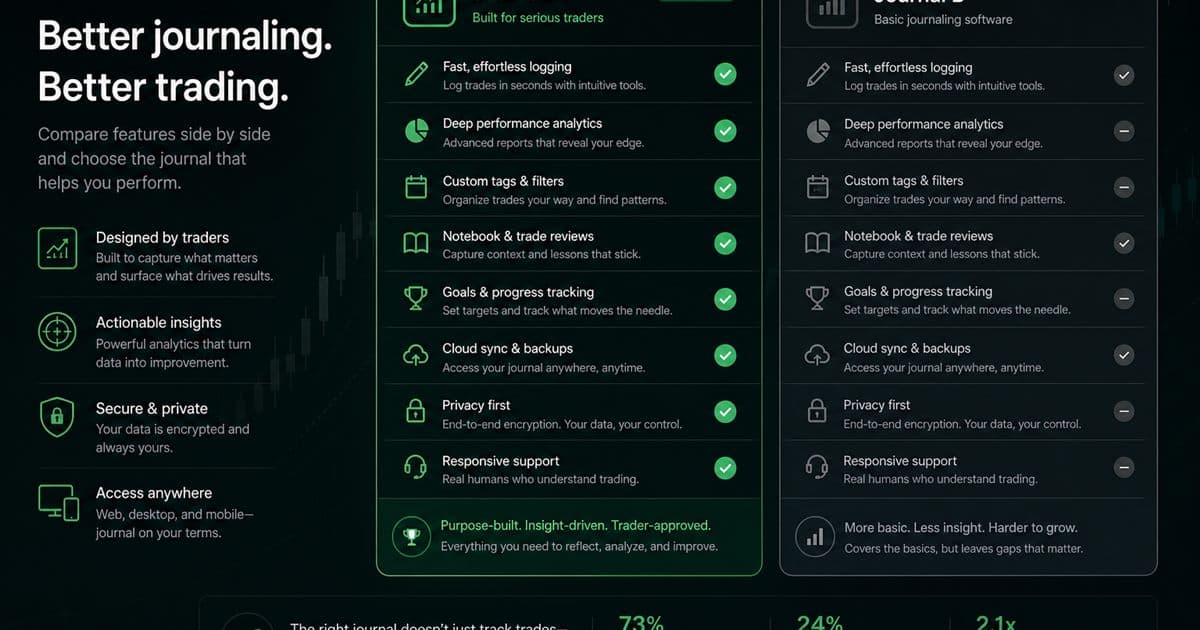
If your setup revolves around screenshots being the core proof of your trades, and you need quick AI-assisted extraction alongside rapid tagging, TradeLogger is the way to go. However, if your priorities lean toward robust broker imports, detailed mature reports, or established community and sharing workflows, you should look at Tradervue.
TradeLogger and Tradervue both turn trading activity into reviewable evidence from different sources. TradeLogger starts from the chart screenshot. Tradervue is known for imports, reporting, and sharing workflows. Capture method matters more than feature-list length. Process context: foundational guide to trading journals. Cluster: head-to-head trading journal comparisons.
How does TradeLogger turn a screenshot into a journal entry?
Upload a TradingView, MetaTrader, or broker screenshot. Vision drafts symbol, timeframe, direction, entry, stop, take-profit, risk-to-reward, optional exit, notes, and visible order tickets. You confirm before save. Setup and emotion tags are not extracted. Tradervue remains stronger when a broker file is the source of truth—verify current import support on Tradervue’s site. TradeLogger plans are $4.99/week, $34.99/year, or $69.99 lifetime.
Should you screenshot trades or import broker files?
Start with the trading artifact you trust after a session wraps up. If you are looking at an annotated TradingView, MetaTrader, or broker chart, a screenshot-first journal is really helpful because it keeps your initial observation tightly linked to the eventual entry. On the other hand, if you have a clean execution history containing many fills, then an import-first journal can save you substantial manual effort. You need to know, though, that neither method is universally superior. Screenshots are great for preserving visual context, whereas imports excel at preserving detailed execution data when you're working at scale.
TradeLogger leverages AI to suggest data fields after you upload a screenshot. Even so, you still have to review and modify the trade row because image quality, complex chart layouts, or annotations can easily introduce errors. That confirmation step isn't a flaw; it's a necessary safeguard—it ensures the trader ultimately owns the record. If your broker data aligns and your primary objective is reliable aggregation spanning numerous executions, Tradervue's import model is likely a more appealing fit.
| Feature | TradeLogger | Tradervue |
|---|---|---|
| Primary capture | Screenshot with AI field extraction you confirm | Broker/file import into a mature reporting journal |
| What the record preserves | Chart context plus editable trade fields and tags | Execution history and established reports |
| Sharing / community | Personal journal and calendar review | Known for sharing and community-oriented workflows |
| Best for | Discretionary traders whose source of truth is the chart | Traders with many fills and a supported import path |
| TradeLogger pricing | .99/week, .99/year, or .99 lifetime | Not listed here — confirm current Tradervue plans on their site |
| Optional broker context | OANDA and cTrader account context | Import ecosystem; verify your broker on their site |
Tradervue features, imports, and pricing change. Verify current details on Tradervue.com
When does TradeLogger fit better than Tradervue?
- The context of the chart has to be established upfront, not tacked on as some afterthought.
- Editable extraction helps minimize the burden of blank-form typing, all without making the unrealistic claim that the AI is infallible.
- The setup and emotion tags are positioned immediately next to the specific image that generated the decision.
- Reviewing the calendar provides a straightforward routine that works well for discretionary day and swing traders.
This focus becomes really useful when the core question shifts away from simply, "What was my average winner?" and moves toward: "What did I actually observe? What setup did I believe I was seeing, and what was my mindset like at the time?" A screenshot provides context—it can show the location, volatility, structure, and any annotations you made—information a standard fills table just can't deliver. For this reason, you should really treat TradeLogger as a decision journal that has structured trade fields, not as some kind of universal execution warehouse.
When does Tradervue fit better than TradeLogger?
Tradervue maintains a solid reputation in trading journaling. It's often praised for its import ecosystem, its established reporting features, and the ways it allows users to share trades or join a wider trading community. These features are especially valuable for active traders who execute many fills, those already utilizing a compatible import route, and users who prefer traditional performance reports over simple screenshot capture.
If your team, mentor, or peer group is already using Tradervue’s sharing conventions, it stands as a highly viable choice for your shortlist. Workflow compatibility often outweighs the appeal of a newer, slicker interface. Nevertheless, always test the precise instrument, broker export, options handling, and partial-fill behavior you rely on. Because sweeping claims—like "supports imports"—won't ensure a perfect outcome across every single account.
How should you test TradeLogger vs Tradervue?
- Select a set of five typical trades for analysis. This grouping must encompass one instance involving partial exits, plus one trade that represents an emotionally challenging loss.
- Record the identical trades across every journal, adhering strictly to the actual workflow you use in your trading process.
- We have to track the capture time, naturally, but we also need to count corrections, missing fields, and those manual attachments.
- Instead of just admiring the dashboard, conduct one review based on setup, session, and emotion.
- Find the product that facilitates a valuable next move while imposing the least lasting resistance.
When should you not choose TradeLogger?
Don't pick TradeLogger just because the screenshot extraction feature sounds novel. If what you need is support for broad broker imports, detailed execution reporting across a high volume of fills, or robust public sharing and community functions, Tradervue might be a much better fit. TradeLogger is also a poor match if you rarely save charts, or if you never plan to tag and review your decisions. Remember, its worth comes from completing the entire workflow, not just uploading images and then forgetting them.
If you need a quick answer, the best choice really comes down to your workflow. For traders who do a screenshot-first, discretionary review, TradeLogger is the obvious winner. If you are looking for more mature, import-led reporting and sharing features, then Tradervue is the way to go. Before you make a decision, make sure to check the live pricing and current features. Don't just pick based on a marketing checklist—you need to test these tools using your actual trades.
Frequently asked questions
Is TradeLogger meant to be a full replacement for Tradervue?+
This isn't a one-size-fits-all solution for every trader. TradeLogger focuses on capturing trades through screenshots and discretionary context, whereas Tradervue is a more mature, import-led journal that includes robust reporting and sharing workflows. Ultimately, deciding which tool is the right replacement hinges entirely on the method you use to capture your trades.
Which journal is better for broker imports?+
When you need robust import workflows for established brokers or platforms, Tradervue tends to be the superior choice. Just make sure to check the current product pages—verify support for your specific broker and file format before you decide to subscribe.
How does TradeLogger capture chart screenshots?+
TradeLogger is specifically designed around the screenshot-first workflow. The process is straightforward: you upload an image, check the extracted data, make necessary edits to the row, tag it, and then circle back to review that trade within the calendar.
Can you test TradeLogger and Tradervue on the same trades?+
Absolutely. You should track five to ten representative trades—make sure that set includes a losing day. From there, compare metrics such as the total logging time, the required correction work, the context provided by screenshots, and ultimately, how useful the resulting weekly review turns out to be.
What is a screenshot trading journal?+
A screenshot trading journal stores the chart image with the trade row. TradeLogger extracts fields from that image for you to confirm. Tradervue is stronger when a broker import is the source of truth.
Related guides
- Trading Journal Guide: Setting Up a Review System That Endures
Learn what to record, how to choose between spreadsheets and software, and how to turn trade evidence into a practical weekly review.
- TradeLogger vs Edgewonk: Screenshot Speed or Deeper Homework?
Compare TradeLogger and Edgewonk by capture friction, psychology work, analytics depth, and the type of trader each journal serves.
- TradeLogger vs TradeZella: Focused Journal or Broader Suite?
Let’s put TradeLogger's screenshot-first journal side-by-side with TradeZella, considering its modern dashboard, replay capabilities, imports, and wider trading workflow.
- TradeZella Alternative for Screenshot Logging
Looking for a TradeZella alternative? Compare a focused screenshot-first journal with a broader replay-and-import suite, and pick the job you will actually do weekly.
Time to try out a journal that focuses first on screenshots.
If your review begins with the chart, try logging one representative screenshot and judge the correction and review workflow for yourself.
Try TradeLogger