Compare · 5 min read
TradeLogger vs Edgewonk: Screenshot Speed or Deeper Homework?
Compare TradeLogger and Edgewonk by capture friction, psychology work, analytics depth, and the type of trader each journal serves.
Updated 2026-10-08 · TradeLogger Research
Quick answer
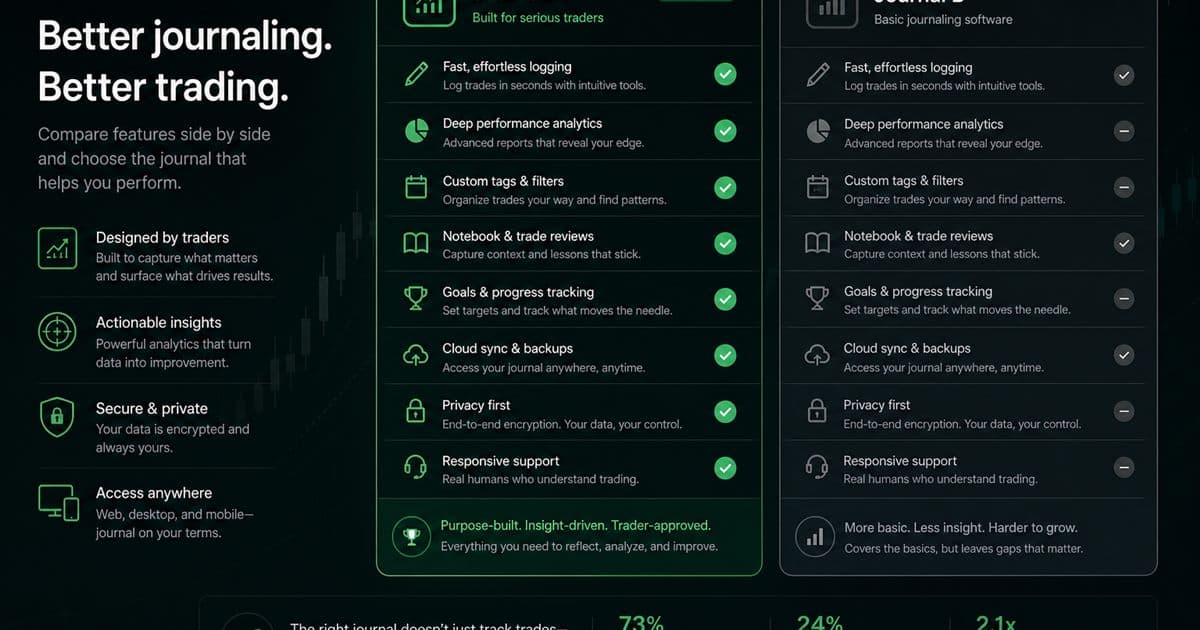
If you just need a lighter, quicker capture method, TradeLogger is perfect for its screenshot-first capture and calendar-review loop. But if you are ready for deeper psychology work, structured journaling homework, and extensive analytics, you should go with Edgewonk—provided you are prepared to consistently invest the necessary setup and review time.
TradeLogger minimises friction between a chart screenshot and a reviewable row. Edgewonk is built for deeper analytics, psychology, and a more demanding journaling desk. The split is homework load, not a beginner-versus-expert label. Start from the foundational guide to trading journals if you still need fields and review cadence. Named matchups sit under head-to-head trading journal comparisons.
How does TradeLogger turn a screenshot into a journal entry?
Upload a TradingView or broker screenshot. Vision drafts symbol, timeframe, direction, entry, stop, take-profit, risk-to-reward, optional exit, notes, and visible order tickets. You confirm before save. Setup and emotion tags are yours. Edgewonk’s psychology curriculum is a different job—confirm current Edgewonk features on Edgewonk.com. TradeLogger plans are $4.99/week, $34.99/year, or $69.99 lifetime.
What is the trade-off between capture friction and journal depth?
Every aspect comes with a trade-off. While having more inputs certainly generates deeper analysis, those same inputs often make it easier to put off logging after a tough session. Conversely, using fewer inputs boosts completion rates, but they might fail to address complex questions down the line. TradeLogger intentionally begins with a visual artifact alongside a brief editable record. Edgewonk truly shines when detailed inputs and conscious psychological effort become integrated into your training process.
Forget the simple beginner-versus-expert split. A disciplined professional, for example, might prefer a fast journal since they handle their execution review process somewhere else. Meanwhile, a developing trader often finds value in deep prompts that genuinely force reflection. On the flip side, a new trader risks drowning in analytics long before they have collected enough consistent data. At the same time, an experienced trader might find a lightweight review insufficient if they require custom metrics.
| Feature | TradeLogger | Edgewonk |
|---|---|---|
| Primary capture | Screenshot with AI field extraction you confirm | Manual entry or import into a structured homework journal |
| Psychology work | Emotion and setup tags next to the screenshot | Deep psychology prompts and self-review curriculum |
| Analytics | Calendar, tags, and setup review from logged trades | Custom metrics and research-style analytics |
| Best for | Discretionary traders whose source of truth is the chart | Traders who will complete detailed post-trade homework |
| TradeLogger pricing | $4.99/week, $34.99/year, or $69.99 lifetime | Not listed here — confirm current Edgewonk plans on their site |
| Optional broker context | OANDA and cTrader account context | Import routes; verify current support on their site |
Edgewonk features and pricing change. Verify current details on Edgewonk.com
How does the TradeLogger screenshot workflow work?
- To verify the trade, you'll need to upload a screenshot—either from the chart itself or directly from your broker's platform.
- Don't just blindly accept the fields suggested by screenshot extraction; you absolutely need to review those proposed parameters.
- First, make sure you correct that editable trade row. After that, remember to tag it—use setup, session, or emotion tags as appropriate.
- For your weekly review, leverage the calendar and tag views to revisit decisions.
The real benefit here is continuity: all the evidence, structured fields, and review labels remain tied together. This is perfect for discretionary traders who visualize their decisions and require enough structure to compare different trades without having to rebuild a massive spreadsheet every time. However, the limitations are just as obvious. Sometimes, screenshot extraction can be inaccurate, and even a streamlined journal won't automatically replicate every single advanced study you might find in a deeper analytics environment.
When is Edgewonk the better trading journal?
Edgewonk isn't just a trade logger. It integrates detailed analytics, psychology-focused review, and structured homework aimed at examining both performance and underlying behavior. If you are a trader who enjoys constructing a rigorous database, defining specific custom criteria, and devoting dedicated time to post-trade work, you will find this level of depth truly valuable.
To harness that strength, you need consistent, accurate input. Deep analytics alone won't fix inconsistent tags or poorly defined setups. Switching definitions weekly turns your dashboard into highly precise noise. Edgewonk truly shines when you maintain a stable playbook, gather sufficient observations for comparison, and consistently protect that recurring review block.
How should you choose TradeLogger vs Edgewonk?
- If you constantly ask yourself, "How do I capture the chart, decision, and emotion fast enough to review everything weekly?" then TradeLogger is the tool you need.
- If your question is, "How do I build a deeper behavioral and statistical research practice out of my trade history?" then you need Edgewonk.
- Consider both options if the psychological element is important, but completion has consistently been your primary weakness.
- If all you require is a basic execution ledger already supplied by your broker, there is no need to shortlist either option.
How long should you test TradeLogger vs Edgewonk?
A slick onboarding process won't tell you if your habits are truly durable. Instead, for two weeks, you must log your wins, losses, scratches, and even that single day when you are genuinely tired. Track the time spent per trade, note any fields skipped or corrections needed, and determine if your weekly review produced at least one concrete process adjustment. Furthermore, make a note of which tool caused you to avoid logging. Don't forget: logging avoidance is valuable product data.
When should you not choose TradeLogger?
If your goal is for the journal itself to deliver extensive psychology exercises, highly customized research, or a proper desktop-style deep-work environment, then you should skip TradeLogger. Edgewonk may be a much better solution for that specific need. Furthermore, TradeLogger is also a poor fit if screenshots aren't relevant to your trading process, or if you plan to neglect correcting extraction errors and maintaining consistent tags.
Honestly, the choice is straightforward: find the least complicated workflow that still successfully addresses your recurring review questions. If your focus is on visual capture and maintaining a repeatable weekly loop, you should start by testing TradeLogger. However, when you need deeper homework and truly psychology-led analysis, take the time to thoroughly investigate Edgewonk.
Frequently asked questions
Is Edgewonk better for trading psychology?+
Edgewonk centers its journaling around deep psychology and rigorous self-review. While TradeLogger supports emotion tags, its true edge is the ability for faster, screenshot-led capture, rather than focusing on the most intensive psychology curriculum.
Is TradeLogger simpler to start than Edgewonk?+
If you habitually save chart screenshots, TradeLogger’s integrated functions—upload, extraction, edit, tag, and calendar loop—can drastically cut down the initial setup time. However, the actual ease of use ultimately hinges on how well this workflow aligns with your existing trading habits.
Which journal has better analytics?+
Whether something is "better" really hinges on what you're looking for. If you need deep, customizable analysis and something for your homework, Edgewonk is the clear frontrunner. On the other hand, TradeLogger shines when it comes to accessible review, especially when you're going over screenshots, tags, and the calendar.
How should you compare TradeLogger and Edgewonk pricing?+
Before deciding, you must verify the live pricing and renewal terms for both products. Next, accurately estimate the monthly cost based only on the journal usage you will actually put in; remember, a cheap tool that you never use simply isn't a better value proposition.
Is TradeLogger free?+
TradeLogger is free to sign up. Journal access requires a paid plan: $4.99/week, $34.99/year, or $69.99 lifetime. Weekly and yearly plans include a 7-day trial. Confirm current Edgewonk pricing on Edgewonk.com.
Related guides
- Trading Journal Guide: Setting Up a Review System That Endures
Learn what to record, how to choose between spreadsheets and software, and how to turn trade evidence into a practical weekly review.
- TradeLogger vs Tradervue: Which Journal Fits Your Workflow?
We’re running an honest comparison between TradeLogger and Tradervue—a detailed look specifically for discretionary traders who rely on screenshots, as well as those who operate using imported data.
- TradeLogger vs TradeZella: Focused Journal or Broader Suite?
Let’s put TradeLogger's screenshot-first journal side-by-side with TradeZella, considering its modern dashboard, replay capabilities, imports, and wider trading workflow.
- TradeZella Alternative for Screenshot Logging
Looking for a TradeZella alternative? Compare a focused screenshot-first journal with a broader replay-and-import suite, and pick the job you will actually do weekly.
Try the lighter review loop
Use one real chart screenshot to see whether TradeLogger captures enough context without turning review into another project.
Try TradeLogger