Templates · 5 min read
Best Free Trading Journal: Start Simple, Upgrade on Evidence
Create a functional, free trading journal using a spreadsheet. You must also honestly compare all the free tiers available, and learn to recognize those specific workflow signals that justify making the upgrade.
Updated 2026-10-12 · TradeLogger Research
Quick answer
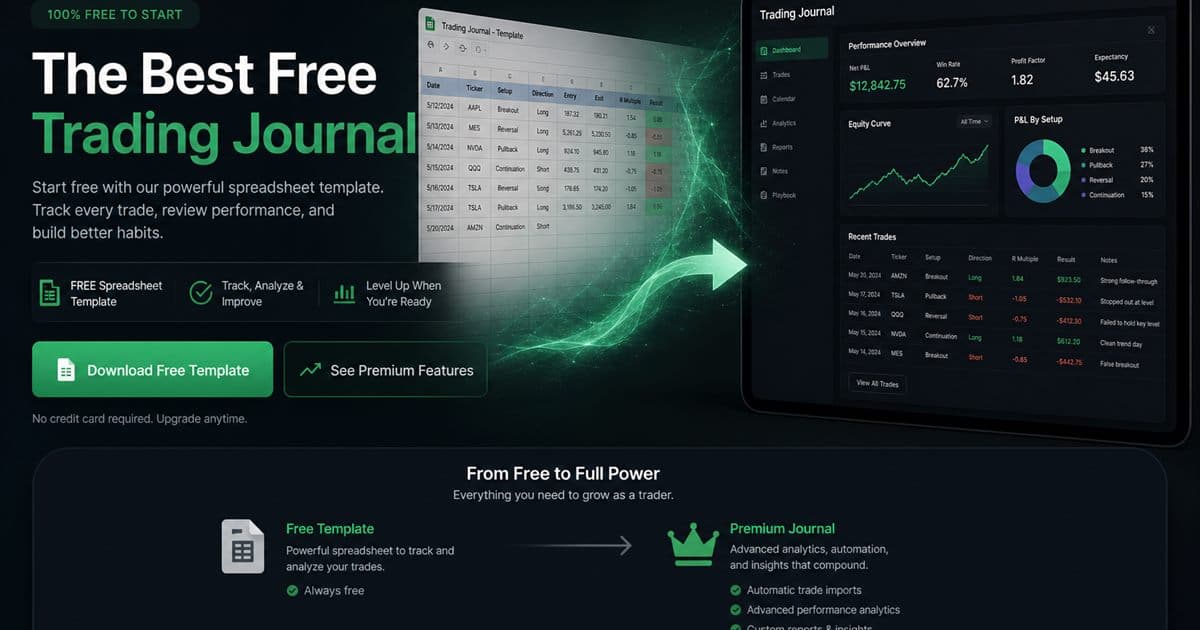
Honestly, the most effective free trading journal is typically just a simple spreadsheet. You need fields for date, symbol, risk, setup, emotion, screenshot link, outcome, and lesson. When trying out a paid product's free tier, always check their specific limits and export capabilities first. Only subscribe once you realize capture or review friction is causing you to lose data.
The best free trading journal is usually a spreadsheet, not a product landing page. TradeLogger is free to sign up and has no free journaling plan. Plans are $4.99/week, $34.99/year, or $69.99 lifetime, with a 7-day trial on weekly and yearly. Use this page to build a complete free record first. Process context lives in the foundational guide to trading journals.
What is the best free trading journal?
The best free trading journal is a simple spreadsheet you will finish after a losing day. Keep date, symbol, risk, setup, emotion, screenshot link, outcome, and lesson. Product “free” tiers often cap history, storage, AI, analytics, or exports—read current terms. TradeLogger does not offer a free journaling plan; do not treat the trial as a permanent free product.
How do you set up a free spreadsheet trading journal?
Build one table, not a sheet per setup. Freeze the header, use dropdowns for repeated labels, and keep one trade per row. Decide how partial exits appear before you calculate anything. Copy columns from the excel and spreadsheet trading journal templates rather than inventing thirty fields on day one.
- To understand the setup fully, we must pin down the exact date, the specific time, and which trading session we are referring to.
- Defining the symbol, pinpointing the market, and determining the direction.
- For the entry, stop, exit, and risk parameters, always express them using R, whenever that is practically feasible.
- The system pulls the 'Setup name' directly from a reliable, fixed dropdown menu.
- The emotional or decisional state right before entry.
- Could you send over the screenshot link, or alternatively, give me the predictable file name?
- The final outcome, its rule-adherence grade, and the one-line lesson learned.
Don't begin with thirty columns. Every single field requires effort, and if you leave fields blank, you just invite incomplete rows. Only introduce a column when a specific weekly review question demands it. If you find you never compare the "market narrative," then cut it out entirely. Similarly, if time-of-day consistently turns up as relevant data, switch from using free text to adding a session field with defined, controlled values.
How should you store screenshots in a free trading journal?
Massive embedded images quickly bog down any workbook, making it slow and awkward. Instead, store your charts in a dedicated, stable folder and simply link them from the row. To ensure the reference survives sorting, make sure you adopt a clear naming convention, such as date-symbol-direction-sequence. Remember to keep original images whenever your annotations act as evidence. And a final crucial tip: never include sensitive account details when sharing a sheet.
The method incurs zero upfront cost, but it is certainly not maintenance-free. Links often break if folders move, if naming conventions drift, or if cloud permissions get altered. That kind of hassle is fine when volume is still low. However, it becomes a definite signal that an upgrade is needed when the time spent on image housekeeping starts taking longer than the time devoted to reflecting on the trade.
What free trading journal options exist besides a spreadsheet?
- Spreadsheets grant you maximum control and impressive portability. However, you must acknowledge the inherent trade-offs, specifically the requirement for manual entry and the burden of image management.
- The Notes database is excellent for capturing narrative flow and screenshots, but if you need solid, reliable numeric comparisons, you must structure the data very carefully—otherwise, it falls short.
- The Product free plan or trial offers the fastest route to testing a workflow, but be mindful that restrictions might affect how you access history, storage, AI, analytics, or export functions.
Before you sign up for a free product plan, you absolutely must address four key questions. Specifically: how much trade history can the system store? What happens the moment you reach that limit? Can you export data that is actually usable? And does older history remain available? Don't rely on outdated comparison articles; the current terms are paramount. Therefore, make sure you confirm all these details directly on the provider's pricing and documentation pages.
How should you review a free trading journal each week?
- Once you've filtered the data for the finished week, make sure you scrutinize everything: look for any missing rows, or double-check that all your screenshot links haven't broken.
- Categorize your trades based on the initial setup, and thoroughly review the execution quality before you even touch the P&L figures.
- We have to differentiate between a truly calm decision and the influence of FOMO, revenge trading, boredom, or any other persistent behavioral bias.
- Look at the charts when you see unusual results, rather than simply relying on the aggregate.
- Pick a single process rule. Next week, decide whether you want to continue it, halt it, or run a test on it.
Don't confuse small sample sizes with definitive proof. Just because you snag three winners doesn't mean the setup is validated, and a single losing week certainly won't invalidate a robust process. Your journal should be a tool that generates better questions and forces you to confront rule adherence. Truly evaluating a strategy demands more than just a simple spreadsheet; you need adequate data, consideration of costs, strict risk controls, and genuine judgment.
When is it rational to pay for a trading journal?
Pay when you can name the recurring cost the software removes: retyping fields from screenshots, hunting folders for charts, fixing inconsistent setup names, or rebuilding a calendar by hand. TradeLogger drafts fields from a screenshot; you confirm them, add tags, and review in calendar. That is not automatically better than a free sheet—only better if that loop is your bottleneck. Lifetime access is $69.99; weekly is $4.99; yearly is $34.99.
When is TradeLogger the wrong upgrade from a free journal?
If your spreadsheet meets the criteria—complete, fast, and simple to review—stick with it. Don't sign up for a service just because it looks more professional. Furthermore, TradeLogger isn't the ideal solution if you need features like broad broker imports, integrated replay, or deep custom analytics over just viewing screenshots. Always remember that you should buy a focused product because of its specific focus.
Kick things off free, keep your schema tight, and commit to a weekly review. Seriously, don't upgrade until the friction point itself creates missing or unreliable evidence. Following that disciplined strategy protects both your budget and the integrity of the habit.
Frequently asked questions
Is TradeLogger a free trading journal?+
No. Sign-up is free. There is no free journaling plan. Journal access is $4.99/week, $34.99/year, or $69.99 lifetime, with a 7-day trial on weekly and yearly plans. A spreadsheet is the honest free journal.
Can a spreadsheet work as a trading journal?+
Yes at low volume. Spreadsheets record structured fields and simple summaries. Weak spots are screenshots, tag consistency, and manual weekly review.
What fields should a free trading journal include?+
Date, symbol, direction, risk in R, setup, emotion, screenshot link, outcome in R, rule adherence, and one lesson. Remove fields you never review.
When should you pay for trading journal software?+
Pay when retyping, scattered screenshots, inconsistent tags, or a slow weekly review causes missing evidence. Upgrade to fix that bottleneck, not to look professional.
Related guides
- Trading Journal Template: Excel and Google Sheets Fields
A practical trading journal template for Excel, Google Sheets, or Notion, with core columns, formulas, screenshot handling, and a weekly review routine.
- How to Review a Trading Journal Weekly
A weekly review checklist, designed for 30–60 minutes, that converts your trade logs into specific rules for the following week.
- Trading Journal Guide: Setting Up a Review System That Endures
Learn what to record, how to choose between spreadsheets and software, and how to turn trade evidence into a practical weekly review.
- Trading Journal with Screenshots: How Chart-First Logging Works
A trading journal with screenshots keeps the chart next to the trade row. Learn when screenshot-first logging beats imports or spreadsheets, and how AI extraction fits.
Wait to upgrade. Only make the change when genuine friction appears.
If screenshot transcription and retrieval are slowing your review, test TradeLogger with one normal trading week.
Try TradeLogger